See your full week at a glance
From solo therapists to multi-practitioner teams, everything sits in one calendar so every session, therapist, and room stays clear and coordinated.
Feature spotlight
Bloom’s calendar is built for therapists who want their weeks organised, reliable, and ready to adapt when life happens. Schedule, reschedule, and move on. Client information stays connected and encrypted.
The lost hours around sessions are time better spent elsewhere. Here’s how:
Build your week, brick by brick, with Bloom.
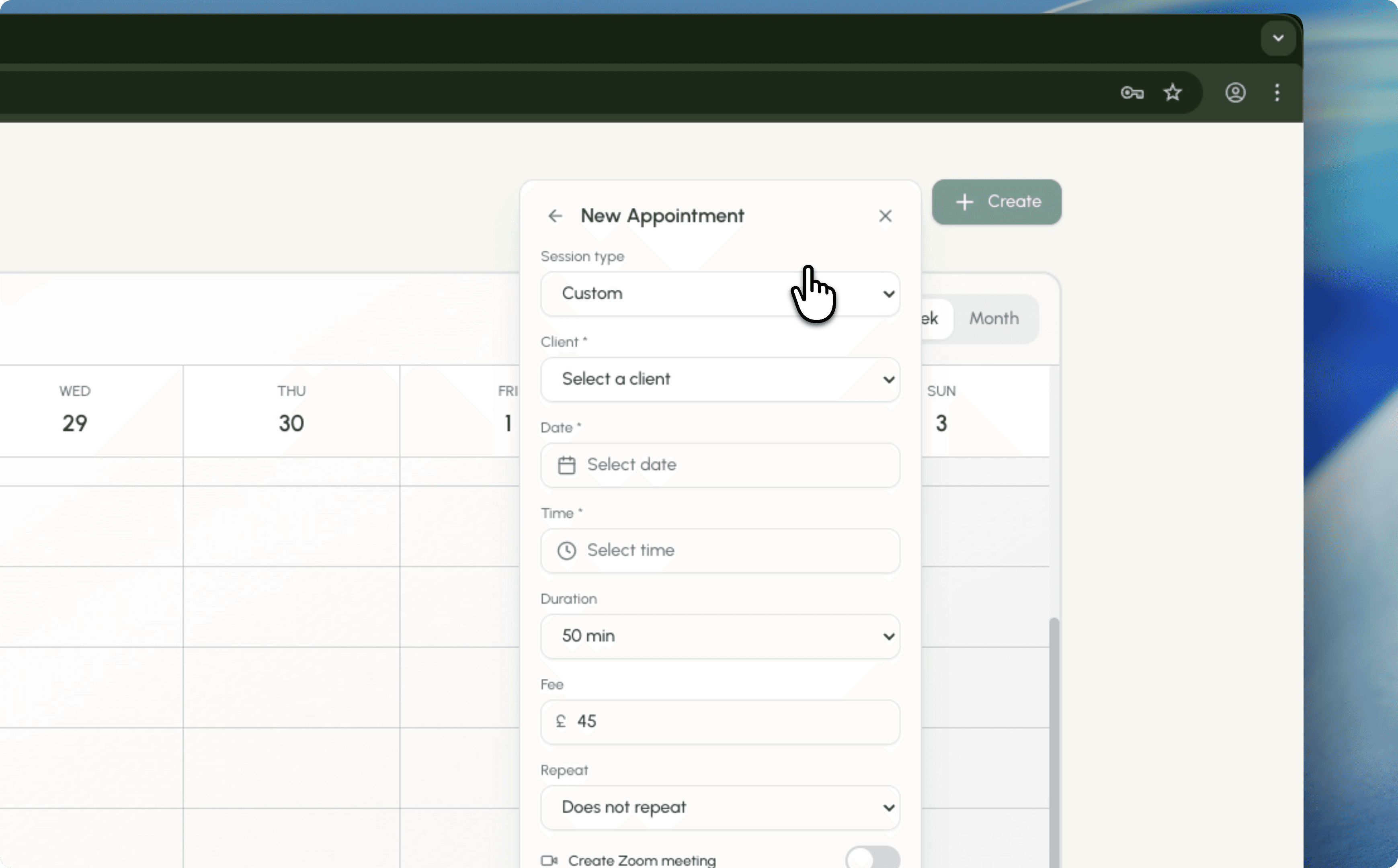
Book sessions directly in Bloom and keep everything connected to the right client history. Drop your pre-defined session types and rates into the calendar in 20 seconds.
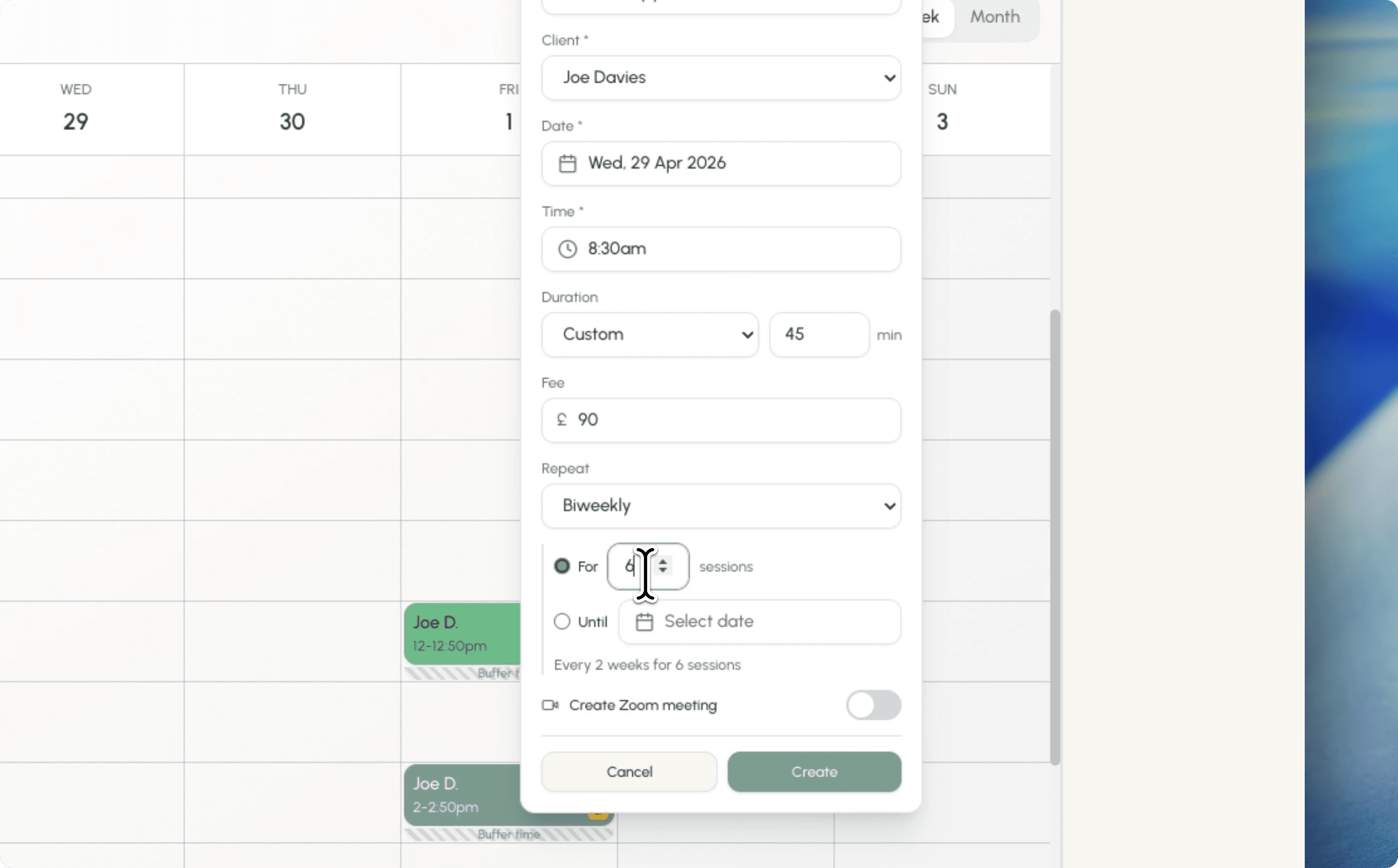
Set one-off, weekly, or fortnightly repeats and adjust them when plans change. Online, in-person, or hybrid, every detail stays connected to the client record.
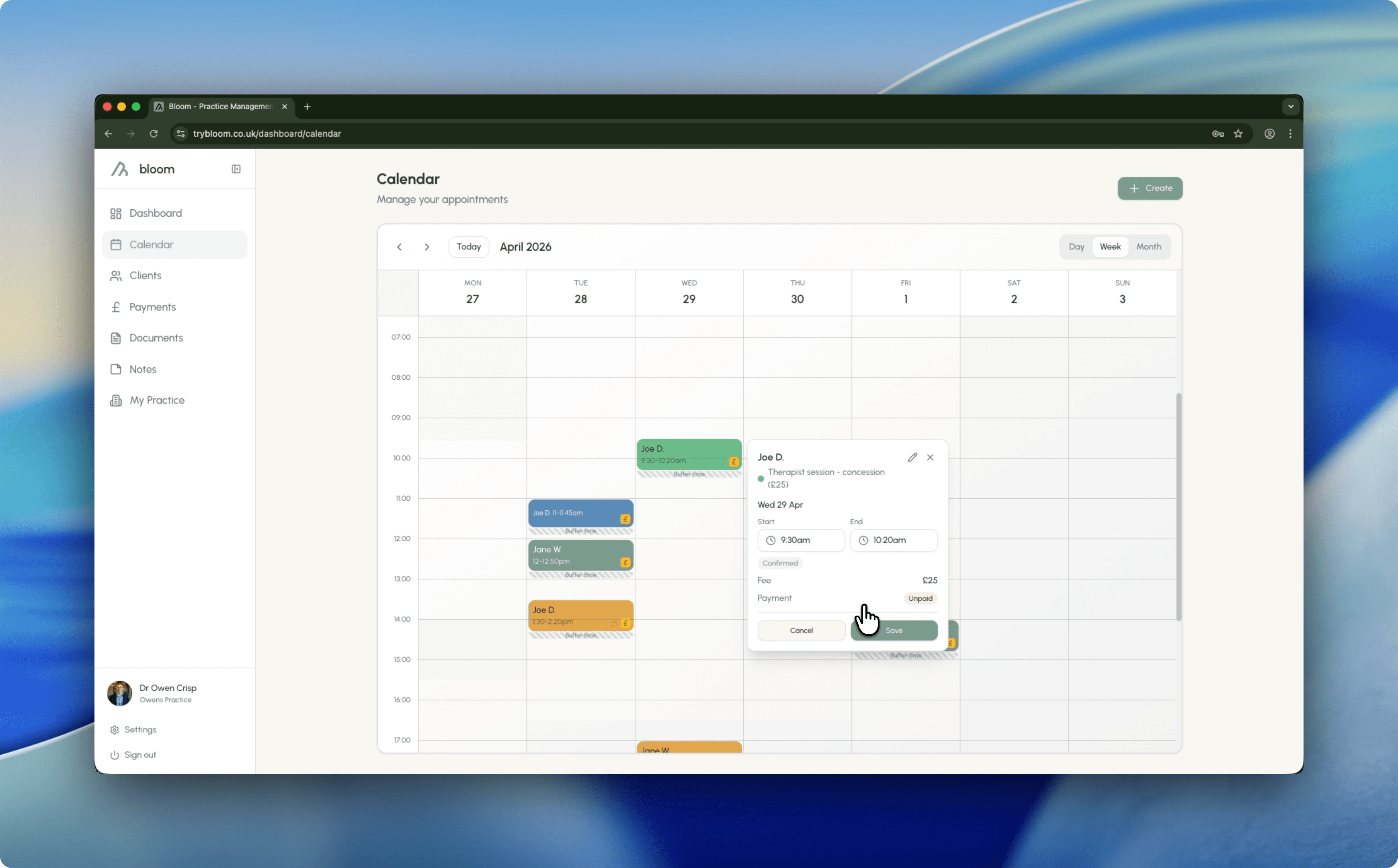
Edit sessions directly in the calendar, or drag and drop them into the next timeslot, keeping your whole week in one place. Phone calendar sync is coming soon.
Practical improvements you feel in your day-to-day workflow, not just a longer feature list.
From solo therapists to multi-practitioner teams, everything sits in one calendar so every session, therapist, and room stays clear and coordinated.
Create weekly or fortnightly appointments in a few clicks and keep everyone on a consistent rhythm.
Drag and drop sessions to a new slot and keep notes, reminders, and client history connected.
A private calendar feed to stay up to date when you are away from your desk. Coming soon.
Try Bloom for 30 days. If it’s not for you, we’ll refund every penny - no forms, no questions, no awkward exit interview.